.jpg)


Requirements: Android 2.2 and up
Overview: This is the paid version for the FREE Guide to downloading and installing Backtrack within Android. It is recommended that you try the free version first to make sure this method works on your device!
Overview: This is the paid version for the FREE Guide to downloading and installing Backtrack within Android. It is recommended that you try the free version first to make sure this method works on your device!
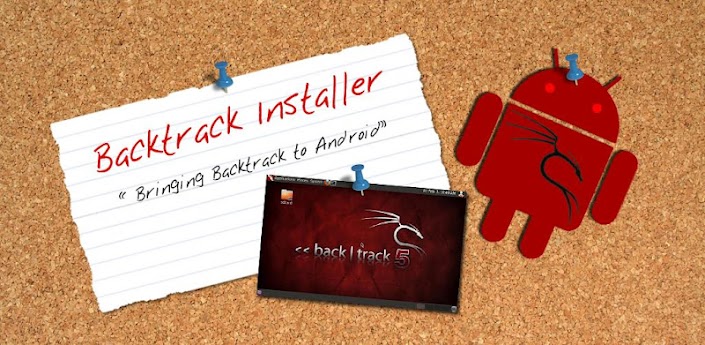
By Buying this version you get
*All updates before free version
*Download images from my fast FTP server (direct download) instead of sourceforge (downloads will be up to around x10 faster, and when you click the button in app it will start downloading instead of opening sourceforge site)
*New ‘one click boot feature’ which allows you to press a button in the app to boot Backtrack, or use the included widget to launch Backtrack instead of having to type out commands!
*A good feeling of supporting the development of this app
*+Much more in the future!NOTE!
To use the one click boot you MUST have the terminal app used in the install guide installed on your device. That is this app here: https://market.android.com/details?i...al.androidterm
If the app was included in your ROM uninstalled it then reinstall it on the market, if its included in the ROM IT WILL NOT WORK.
This app includes everything you need to install Backtrack within android and get it running on your device!
(This does not replace android on your device it just runs Backtrack ontop of android)
Requires:
Root
1GHZ processor (recommended)
512MB Ram (recommended)
Android 1.6 or higher
Kernel will loop device support (this is included in most custom ROM's)
SD card with at least 3.5GB of free space
Data connection on your device
What is this?
This is a customized Backtrack image optimized for the ARM processor (the processor android runs on). This will allow you to run a full Backtrack system within android (You can still make calls, text, and use android without having to reboot your phone!).
Key features include:
*User select screen size on boot
*All the security testing software included in backtrack
*All other software included in backtrack
*Updated to newest software updates as of 1/1/12
*Image cleaned up to give around 800MB free space
*Download images from my fast FTP server!
*One click boot feature which allows you to press a button in the app to boot Backtrack or use the included widget to launch Backtrack instead of having to typing commands
App provides a detailed instruction set on how to get Backtrack running on your android device with all of the necessary files and custom backtrack images. The images are 700MB to download and 3.5GB once extracted
For more information about backtrack please visit: http://www.backtrack-linux.org/
*All updates before free version
*Download images from my fast FTP server (direct download) instead of sourceforge (downloads will be up to around x10 faster, and when you click the button in app it will start downloading instead of opening sourceforge site)
*New ‘one click boot feature’ which allows you to press a button in the app to boot Backtrack, or use the included widget to launch Backtrack instead of having to type out commands!
*A good feeling of supporting the development of this app
*+Much more in the future!NOTE!
To use the one click boot you MUST have the terminal app used in the install guide installed on your device. That is this app here: https://market.android.com/details?i...al.androidterm
If the app was included in your ROM uninstalled it then reinstall it on the market, if its included in the ROM IT WILL NOT WORK.
This app includes everything you need to install Backtrack within android and get it running on your device!
(This does not replace android on your device it just runs Backtrack ontop of android)
Requires:
Root
1GHZ processor (recommended)
512MB Ram (recommended)
Android 1.6 or higher
Kernel will loop device support (this is included in most custom ROM's)
SD card with at least 3.5GB of free space
Data connection on your device
What is this?
This is a customized Backtrack image optimized for the ARM processor (the processor android runs on). This will allow you to run a full Backtrack system within android (You can still make calls, text, and use android without having to reboot your phone!).
Key features include:
*User select screen size on boot
*All the security testing software included in backtrack
*All other software included in backtrack
*Updated to newest software updates as of 1/1/12
*Image cleaned up to give around 800MB free space
*Download images from my fast FTP server!
*One click boot feature which allows you to press a button in the app to boot Backtrack or use the included widget to launch Backtrack instead of having to typing commands
App provides a detailed instruction set on how to get Backtrack running on your android device with all of the necessary files and custom backtrack images. The images are 700MB to download and 3.5GB once extracted
For more information about backtrack please visit: http://www.backtrack-linux.org/

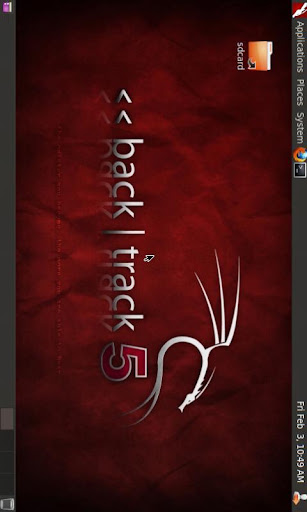
More Info: https://play.google.com/store/apps/details?id=com.zpwebsites.backtrackinstallguide

Download